
You must ensure that you have solid, high-quality security measures in place whether you’re using open-source MySQL or Microsoft SQL Server. This is critical for avoiding unwanted access to your database, especially if your servers store sensitive or personal data.
I’ll go over the most important SQL Server security best practices in this article. I’ll also discuss why a SQL security monitoring tool like Security Event Manager is essential for any effective server threat management solution, as well as the significance of establishing a SQL Server security plan.
SQL Server Security Practices Checklist
Data breaches caused by weak SQL Servers can result in significant losses in revenue and confidence, as well as fines or penalties for failing to protect client data. Fortunately, SQL Server includes tools for encrypting data and restricting access and authorization. Let’s have a look at how to use these integrated features to keep your SQL Servers safe. To ensure the correct setup, you can also use the checklist below.
Isolate your Server
By isolating your server, you may help safeguard it from other applications and services that could be compromised. Consider putting your SQL Server in a network segment with limited access and allowing only approved traffic to pass through. Only the application server or web server should have direct access to the database, and harmful or unexpected connections can be avoided by isolation and restricted access.
Keep it Lean
All of your systems should be maintained as lean as possible. This means you should only install the software and services that are necessary, and you should avoid turning on superfluous features or installing extra programs. You limit the chances of attackers exploiting your server by avoiding applications or functionalities you don’t require. If you’re going to test a feature, do so in a test or development environment rather than in production. When running a default instance of SQL Server, make sure the SQL Server Browser is turned off. The Server Browser helps administrators and authorized users to discover database instances via the network, but it also allows attackers to obtain access to your SQL Server resources if you leave it turned on.
Update Regularly
Ensure that all of your SQL Server tools and applications are up to date regularly so that security fixes can be applied quickly before it’s too late. Maintaining a regular patching schedule can aid in the implementation and testing of changes in a development environment, allowing you to avoid disrupting production until the patch or update is fully functional.
Apply Restrictions and a Solid Security Policy
The database service’s user has access to the file system, can launch programs, and do other vital functions. MySQL is run as a separate user account with only the most basic permissions to access or interact with the rest of the server. However, SQL Server is frequently operated as an administrator account on Windows systems, which can provide complete access when it isn’t required or desirable. Instead, SQL Server should always be run as a local account with no administrator credentials, not as an administrator. Access control for database user accounts ensures that a hacked data server or a user account does not jeopardize the rest of the network.
You should also limit access to the server by allowing only one other server to connect to it while blocking all other database ports. SQL connections should be limited to specified IP addresses that require SQL Server access. SQL assaults can be avoided by using antivirus and anti-malware software.
When assigning accounts, use the least privilege principle. This means that you shouldn’t provide someone more access than they require to execute their job. When using SQL Server, avoid “ALL” grants and don’t allow SysAdmin roles unless essential. Always consider how application accounts will affect your server’s robustness, and conduct tasks and procedures as a dedicated user with limited permissions rather than as a full-access admin.
Manage Logins
Set a strong password for the root user or system administrator account, especially if you’re using mixed-mode permission. A regular SQL Server security audit, including login auditing, is also recommended. Failed logins regularly may indicate that someone is attempting to access your server, and you can lock down those accounts before they gain access.
Furthermore, login auditing produces a record that you may use later to demonstrate that you have done everything possible to assure security. After you’ve finished using a login, be sure to delete it or disable it. If you aren’t going to need a login for a while, such as a couple of months, you should remove or disable it and then re-enable it when you need it.
Secure Backups
Because your backups contain the same server data as your production databases, they must be protected in the same manner. This entails following the same procedures when it comes to backups, such as limiting access, implementing security measures, and reviewing and managing who has access to your backup data.
Controlling access to your backups is critical, but so is guaranteeing the security of your backup storage. That’s why you should hunt for a program that can successfully protect your SQL backups. N-able Backup, for example, offers a centralized, user-friendly dashboard as well as cloud-based storage that is geared for security and performance.
Protect against Injection
Ascertain that your database applications are configured to avoid SQL injection and that you have security technologies in place to check event logs and systems. Using stored procedures is one of the most common ways to secure your SQL Server from SQL injection. These include specified arguments and only accept certain types of code, so if someone tries to send malicious SQL queries, the process won’t accept them and won’t give the attacker any helpful information.
Monitor Continuously
Even if you follow all of the previous steps, your SQL Server may still be vulnerable to malicious intrusion. The finest and last security precaution is to install continuous monitoring software, which will assist you in detecting and resolving problems as early as possible.
Best SQL Server Security Monitoring Tools
Various technologies on the market can assist businesses in managing database security and performance. SQL database security solutions should be a key priority for any administrator, as your information is at risk without one.
1. ManageEngine Applications Monitor (FREE TRIAL)

ManageEngine Applications Manager is a comprehensive monitoring tool that comes with the ability to even monitor servers. With this reliable monitoring solution, businesses can track their performance issues in real-time, thanks to its unmatched visibility and insights. The tool is not limited to only providing updates on performance; instead, it goes beyond that and tracks every vital parameter essential to maintaining server uptime and smooth operations.
It even uses Machine Learning algorithms to track usage, predict, and generate forecast reports. With access to insightful reports on server resources and usage, businesses can better plan load distribution and resource allocation. Start by downloading the 30-day free trial.
EDITOR'S CHOICE
ManageEngine Applications Manager is our editor’s top choice for SQL Server Security Monitoring because it provides unmatched visibility and deeper insights into server performance, health, and security. Business owners and IT professionals can detect threats and other security risks in real-time, thanks to its deep diagnostics, AI-assisted alert systems, and monitoring capabilities. Further, the tool offers features that represent collected insights in a detailed, graphical, and interactive manner to team members or stakeholders. So, even if one member misses out on looking for some detail, the data is presented so clearly that the other member can easily catch the missing point. The tool even makes it easier to track and figure out which part or component went wrong. It is basically a versatile solution that comes with an ‘N’ number of features and functionalities, which make it a perfect option for your SQL Server security monitoring.
Download: Download a 30-day FREE Trial
Official Site: https://www.manageengine.com/products/applications_manager/
OS: Windows, Linux
2. ManageEngine EventLog Analyzer (FREE TRIAL)
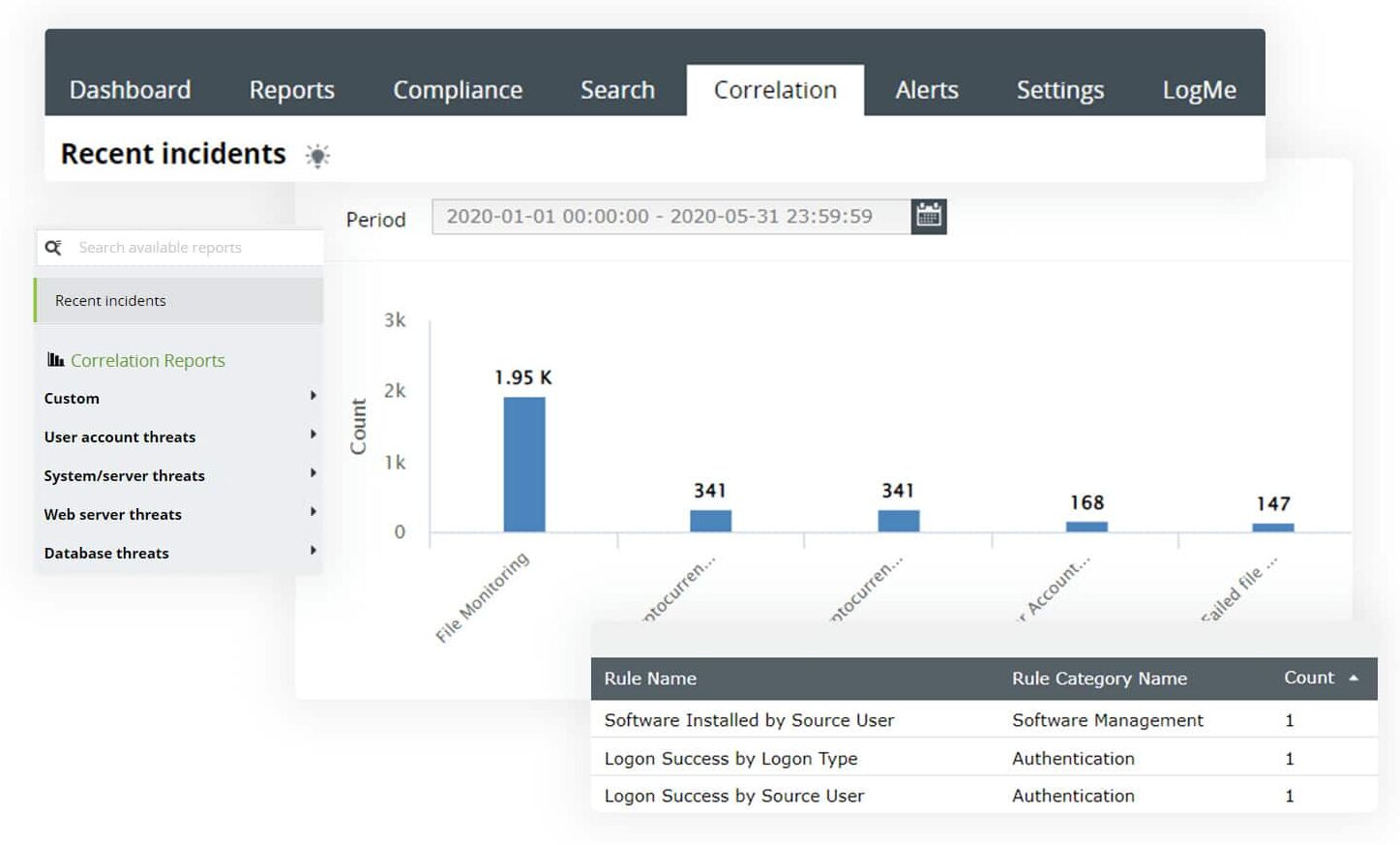
ManageEngine EventLog Analyzer is a SQL Server auditing tool that gathers logs from all databases and analyzes them to spot anomalies, security vulnerabilities, or issues. It sends real-time alerts when it identifies any issues and displays the analysis on intuitive dashboards, so you can get a better contextual understanding of the root cause of the problem. With such detailed information, you can quickly remediate the issues and maintain the overall security posture of your organization.
EventLog Analyzer can identify a wide range of issues, like SQL injection attacks, data exfiltration attempts, login activities, DDL and DML activities, and more. It also comes with integrated incident response management and real-time alerts to help mitigate the impact of a problem.
A highlight of this tool is its out-of-the-box reporting templates that support all leading compliance frameworks like HIPAA, GDPR, PCI DSS, and more. Download a 30-day free trial.
3. SolarWinds Database Performance Monitor

Database Performance Monitor from SolarWinds (DPM) isn’t a dedicated security tool, as its name implies. Instead, it concentrates on database performance monitoring. DPM is a SaaS monitoring solution for open-source and NoSQL databases in particular. Don’t be fooled by the word “performance” in the name: DPM’s capabilities extend far beyond tracking performance indicators. It also has important security features. DPM includes sensitive data protection, as well as GDPR and SOC2 compliance.
You can try SolarWinds Database Performance Monitor through a free and fully functional 14-day free trial.
4. Microsoft Defender
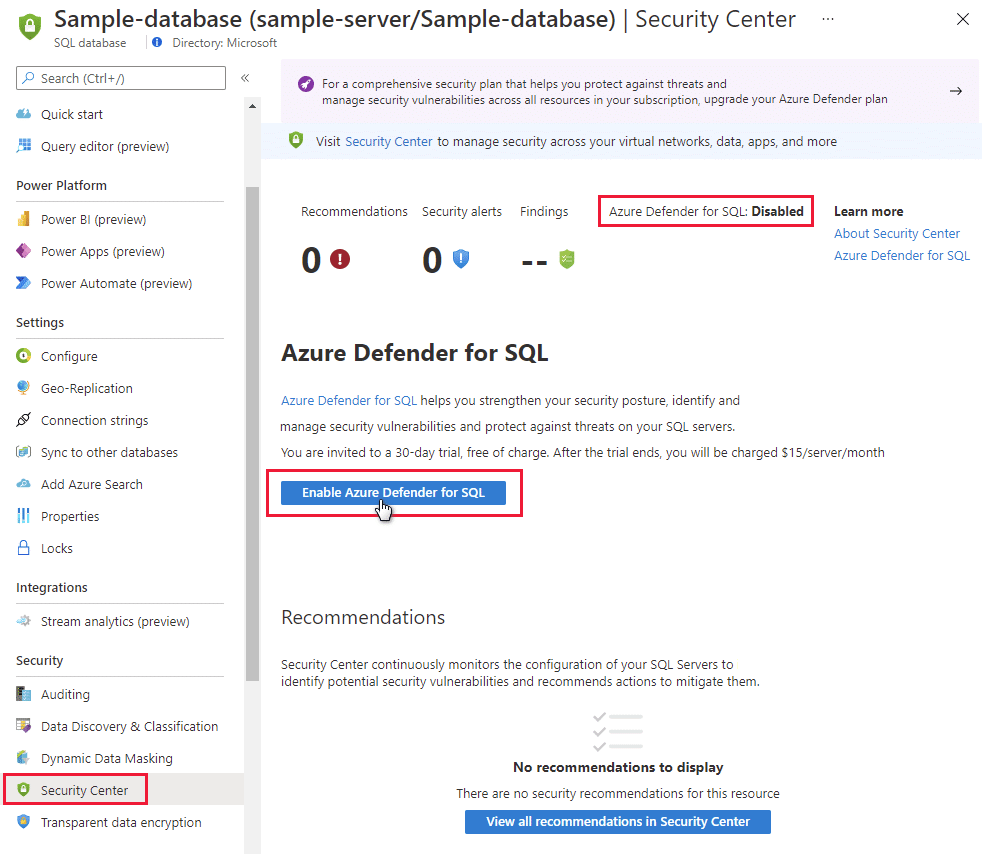
Microsoft Defender for SQL is a SQL Server security solution that detects and mitigates potential SQL database vulnerabilities and unusual activity that could put your database at risk.
Microsoft Defender for SQL is made up of two Microsoft Defender plans: This plan is meant to safeguard Azure SQL databases, Azure SQL managed instances, and dedicated SQL pools in Azure synapse. On-machine Microsoft Defender for SQL Servers: This strategy enhances Azure-native SQL Server protections to fully support hybrid environments and protect SQL Servers hosted in Azure and other cloud environments, as well as on-premises equipment, such as SQL Server on virtual machines and on-premises SQL Servers.
DPA employs machine learning techniques to learn how your database users generally function, allowing it to spot performance irregularities or red flags that indicate a security risk. You can test it for 14 days for free. These plans can be enabled at the subscription level (from Microsoft Defender for Cloud or using the REST API, Azure CLI, PowerShell, or Azure Policy) or at the resource level (from Microsoft Defender for Cloud or via the REST API, Azure CLI, PowerShell, or Azure Policy). All supported resources that exist within the subscription (including future resources created on the same subscription) are covered when you enable one of these plans.
5. Datadog
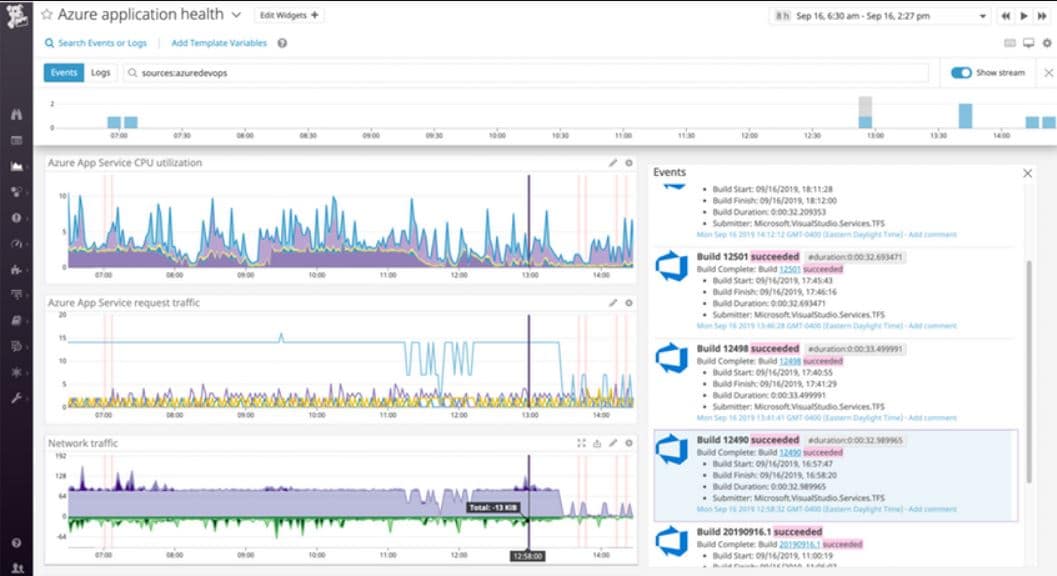
Datadog is a cloud application, server, database, tool, and service monitoring solution with an agent-based on-premises and cloud infrastructure monitoring service. Datadog explores and identifies apps, devices, and servers on your network using its auto-discovery service. Once all devices and linkages have been detected, the Datadog dashboard can be used to observe all activity and immediately detect any network changes.
Datadog delivers end-to-end visibility into your SQL Server instances’ health and performance. It includes two out-of-the-box SQL Server dashboards, as well as tools and critical metrics for SQL Server monitoring:
The dashboard shows you an overview of your SQL Server instances in real-time. A timetable that’s ideal for comparing SQL Server metrics to system metrics and events.
Why SQL Security is Important
SQL Server is an enterprise-class database platform with a vast and increasing user base. Many businesses use it since it is well-known. This means that SQL Servers, which are increasingly being targeted by hackers, are storing large volumes of essential and sensitive data. You leave SQL Servers vulnerable to data breaches and stolen information if your access to them isn’t secure. Managing SQL Server security is one of the more difficult responsibilities you’ll face, but it’s also one of the most important.
You’ll be taking the essential precautions to keep your SQL Servers safe from fraudulent entries by isolating your servers and keeping permissions rigorous, features lean, and security and monitoring systems like Security Event Manager at the forefront of your organization.


